Real Caffeine Calculator
Real Caffeine Calculator answers the question everyone asks after an afternoon coffee: is this going to keep me up tonight? Log whatever you drank — pick from a library of over 30 real drinks like Starbucks orders, energy drinks, and tea, or enter a custom amount — and it shows exactly how much caffeine is still in your body right now, a chart of how it clears out over the next 24 hours, and the latest time you could safely have more before bed. You can even tune it to your own body, choosing between normal, fast, or slow metabolism, plus profiles for pregnancy and smoking, based on real published research on how differently people process caffeine. It runs entirely in your browser, so there's no account and nothing you enter ever leaves your device. Built with Astro, TypeScript, and Tailwind CSS, and hosted on Cloudflare.
Technology Stack
 Tailwind CSS
 TypeScript
 JavaScript
 Cloudflare
Caffeine Calculator — Drink Logger
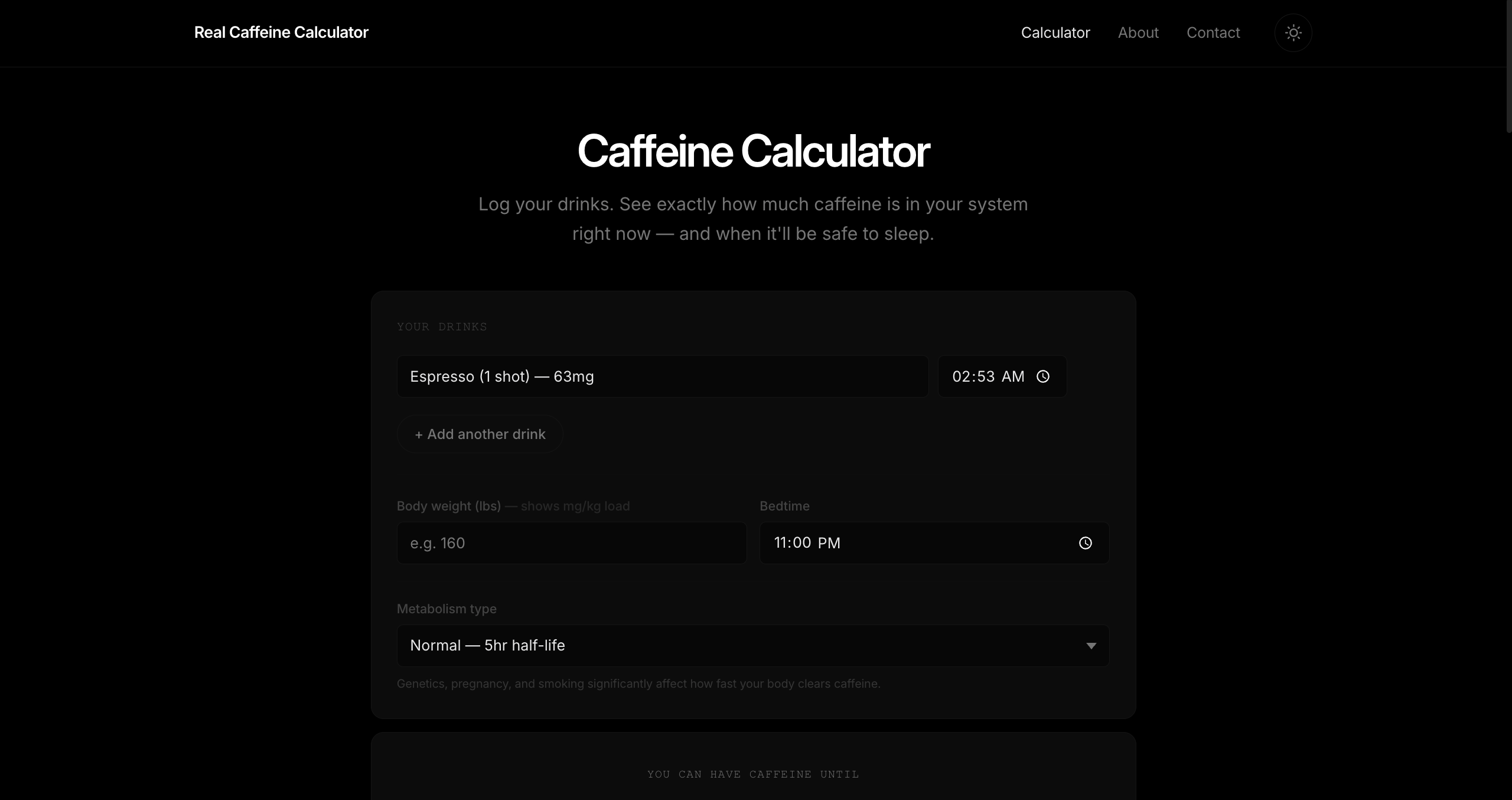
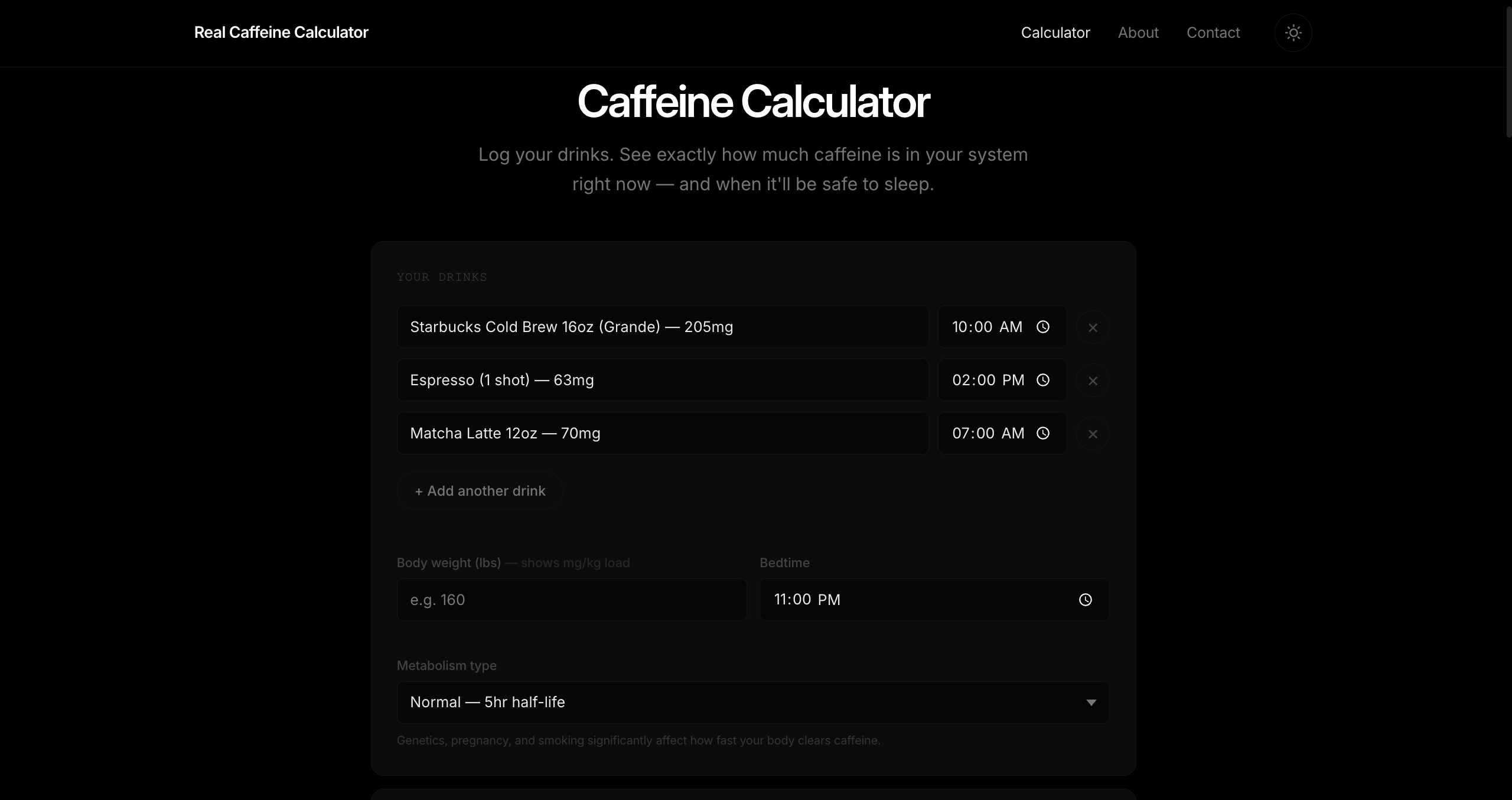
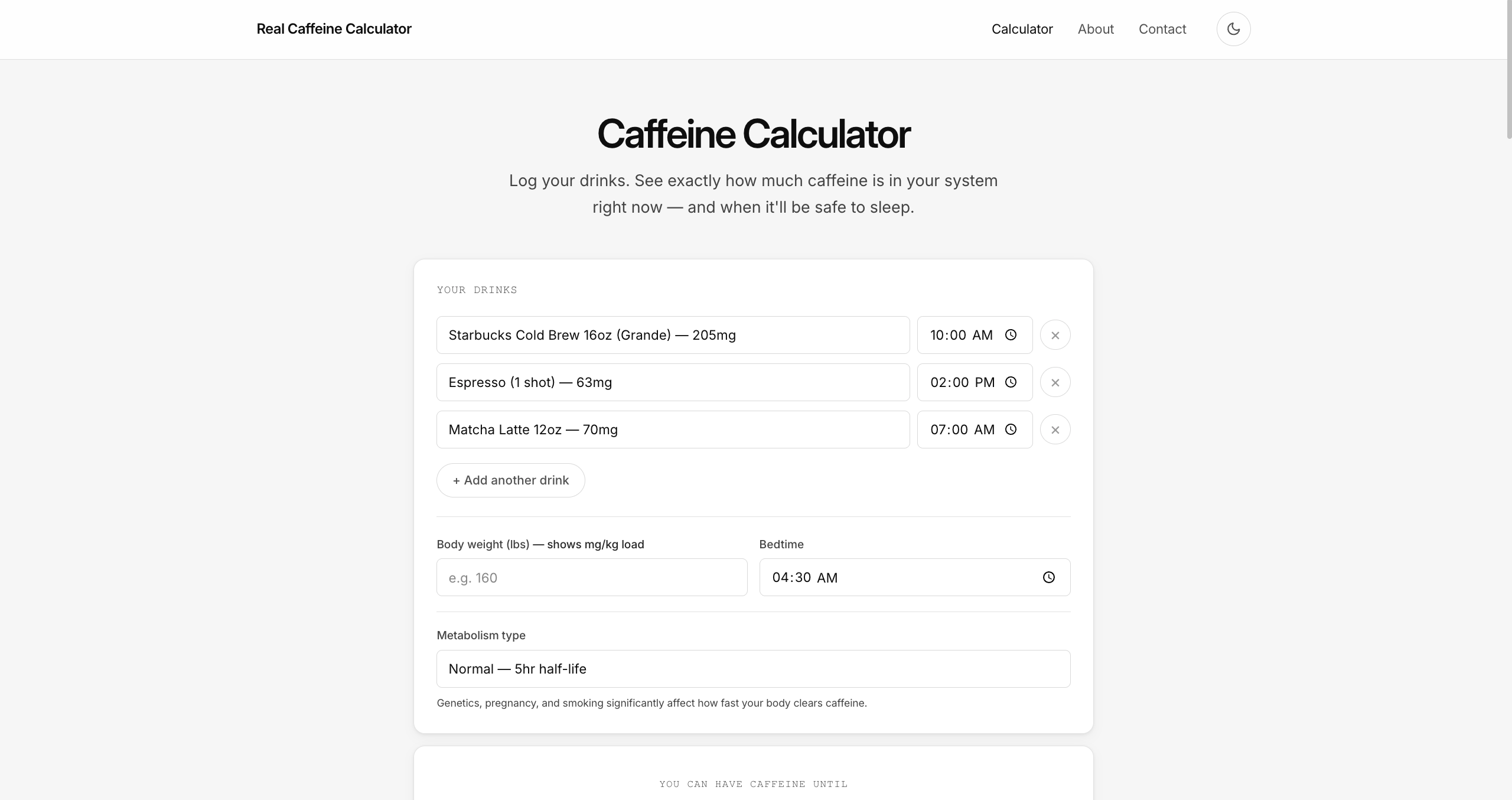
This is where you tell the calculator what you actually drank. Add as many drinks as you like, each with its own time, picked from an organized list of categories — or just type in a custom amount if your drink isn't on the list.
The drink list covers more than 30 real options: a dozen coffee drinks including popular Starbucks sizes and strong brews like Death Wish, a dozen energy drinks like Bang, Reign, Monster, Celsius, and Red Bull in different sizes, plus teas, sodas, and a fully custom entry — each with an accurate caffeine amount already built in.
- Add or remove as many drinks as you want, each with its own time
- Over 30 drinks organized into Coffee, Energy Drinks, Tea & Other, and Custom
- A custom option lets you enter the exact caffeine amount for anything not listed
- Smart time handling catches likely mistakes, like accidentally logging a drink for the future
- Enter your body weight to see a color-coded reading of your caffeine load relative to your size
- Set your bedtime (defaults to 11:00 PM) to power all the sleep-safety calculations
- Choose your metabolism type — normal, fast, slow, pregnant, or smoker — each processed at its own real-world rate
Live Results Panel — Current mg, Status & Sleep Risk
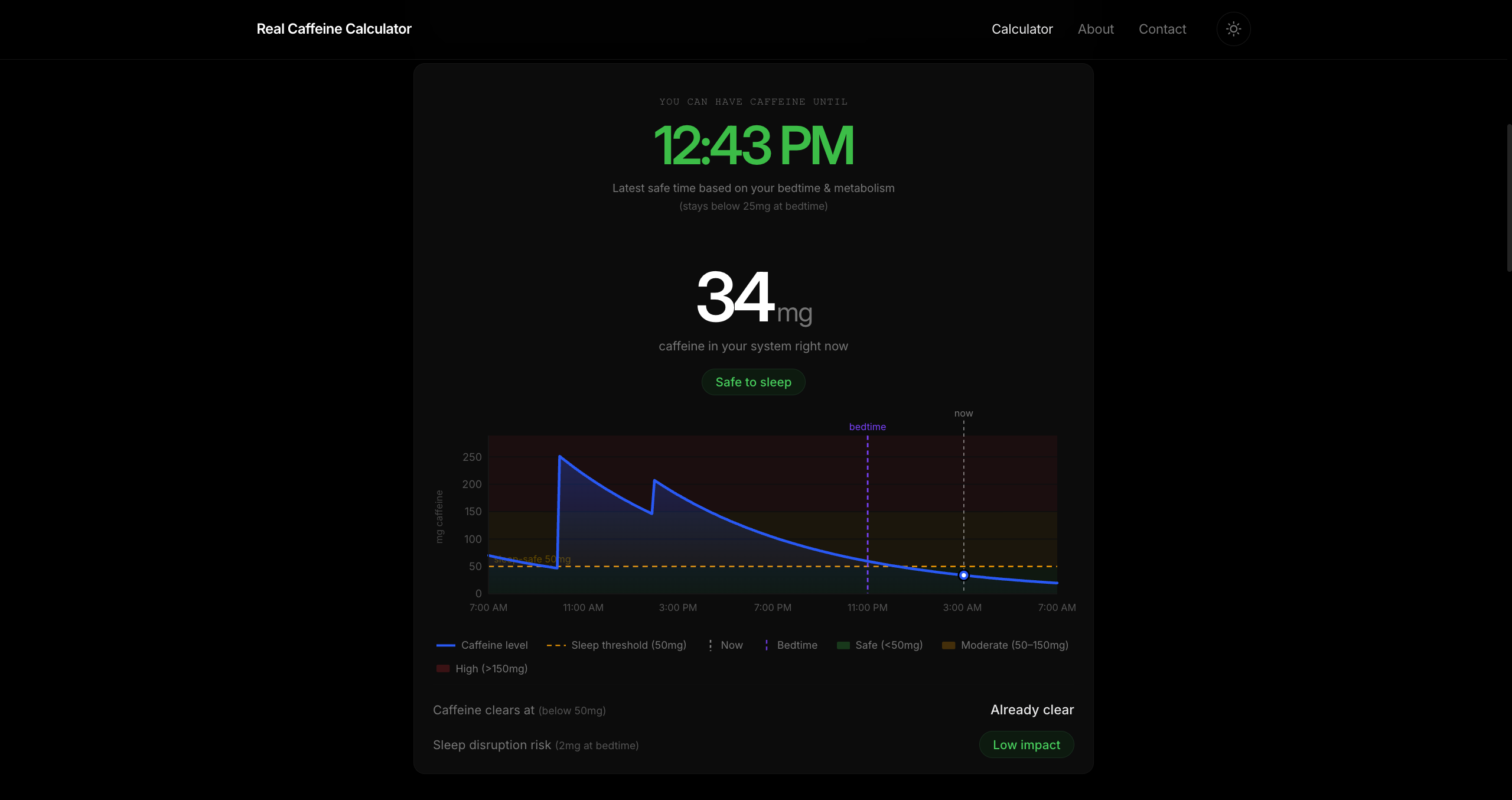
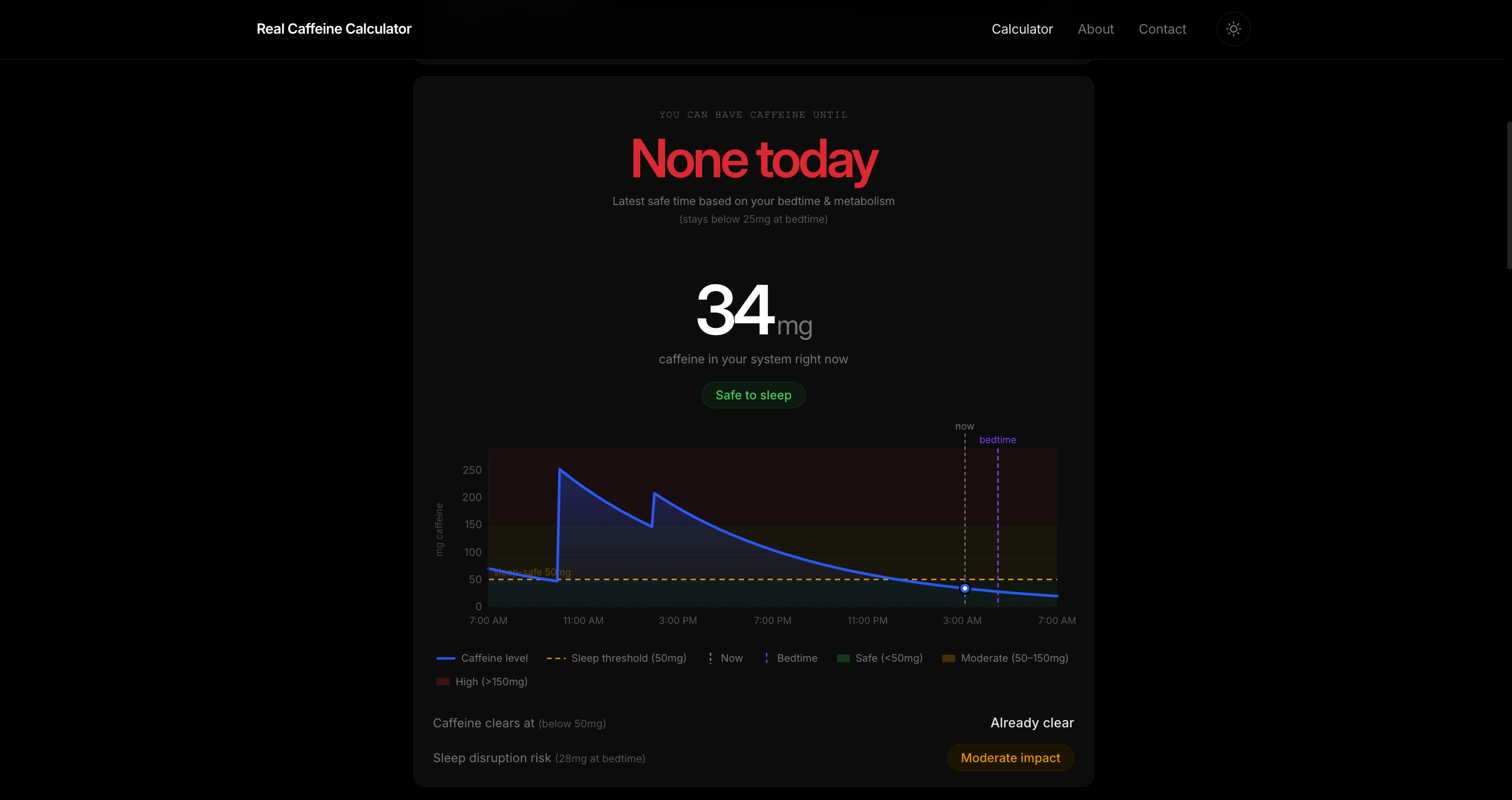
The results panel is the heart of the tool: a big, clear number showing how much caffeine is in your system right now, a plain-language status like "Safe to sleep" or "Too much for sleep," and a headline telling you the latest time you could still have a caffeinated drink and be fine by bedtime.
Below that, it shows when your caffeine will drop to a safe level, how much it's likely to disrupt your sleep (low, moderate, or high impact), and, if you entered your weight, how your intake compares to your body size. If you've gone over the FDA's recommended daily limit, a clear warning lets you know.
- Shows the latest moment you could have a typical coffee and still keep your bedtime caffeine low
- Color-coded so you can tell at a glance whether you still have time, none left today, or your window's passed
- The current caffeine reading updates automatically every minute
- A sleep-risk badge tells you if your bedtime caffeine level is low, moderate, or high impact
- Shows exactly how much caffeine will still be in your system at bedtime
- A color-coded caffeine load relative to your body weight, shown once you enter it
- A warning appears if you go over the FDA's recommended daily caffeine limit
24-Hour Caffeine Decay Chart
A chart plots exactly how your caffeine level will rise and fall over the next 24 hours, starting from your first drink. Color bands across the background make it easy to see at a glance when you're in a safe zone, a moderate zone, or a high zone.
Markers show exactly where "now" and your bedtime fall on the timeline, with a dot tracking your current caffeine level right on the curve. The whole chart updates live as time passes and adapts automatically if you switch between dark and light mode.
- A smooth curve with a soft gradient fill traces your caffeine level hour by hour
- Green, amber, and red zones show safe, moderate, and high caffeine levels at a glance
- A marked line shows the caffeine level considered safe for sleep
- A marker shows exactly where you are right now on the curve
- A separate marker shows where your bedtime falls on the timeline
- The timeline is labeled every few hours and automatically scales to your caffeine peak
- A legend appears once you've logged a drink, explaining every line and zone
- Updates instantly to match dark or light mode, no reload needed
SEO Content — Understanding Caffeine Half-Life
Below the calculator, a plain-language guide walks through the science behind it — what caffeine half-life actually means, how genetics change the way people process it, how the calculator's math works, why timing your last coffee matters for sleep, official daily limits, and how caffeine content compares across popular drinks.
- Six clearly organized sections covering the science end to end
- Key terms are highlighted throughout so the important points are easy to spot
- Includes real numbers for popular drinks, like Death Wish coffee's 728mg or a Starbucks Cold Brew's 205mg
- Explains in plain terms how caffeine actually leaves your system over time

FAQ Section (with Schema.org markup)
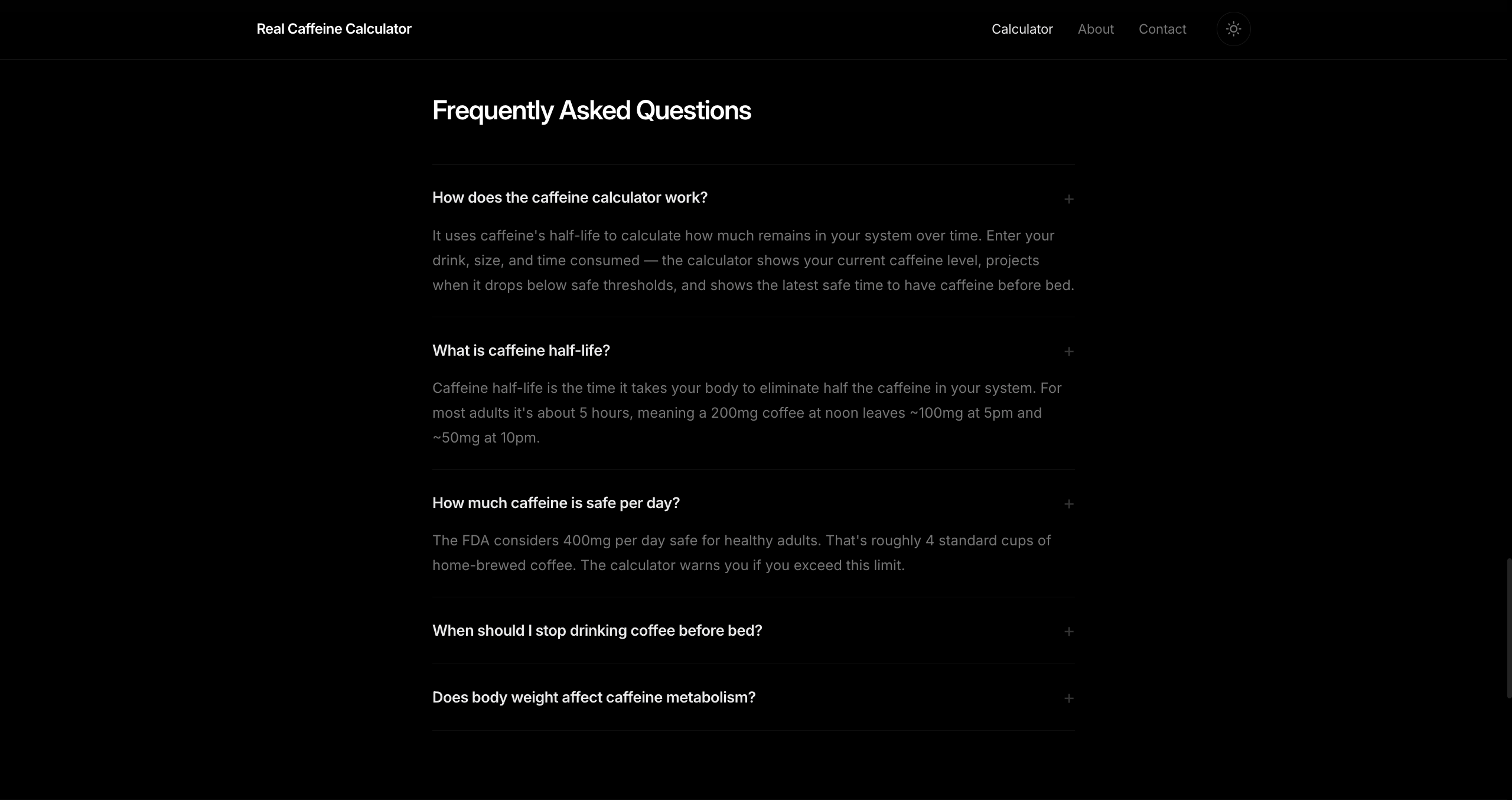
A short FAQ answers the five questions people ask most — how the tool works, what half-life means, what a safe daily limit looks like, when to stop drinking caffeine before bed, and how body weight factors in. It's also structured so these answers can show up directly in Google search results.
- Covers how it works, what half-life means, safe daily limits, cutoff timing, and body weight
- Opens and closes smoothly with a simple click
- Structured so answers can appear directly in search results
- Answers the exact questions people search for
Sources Section
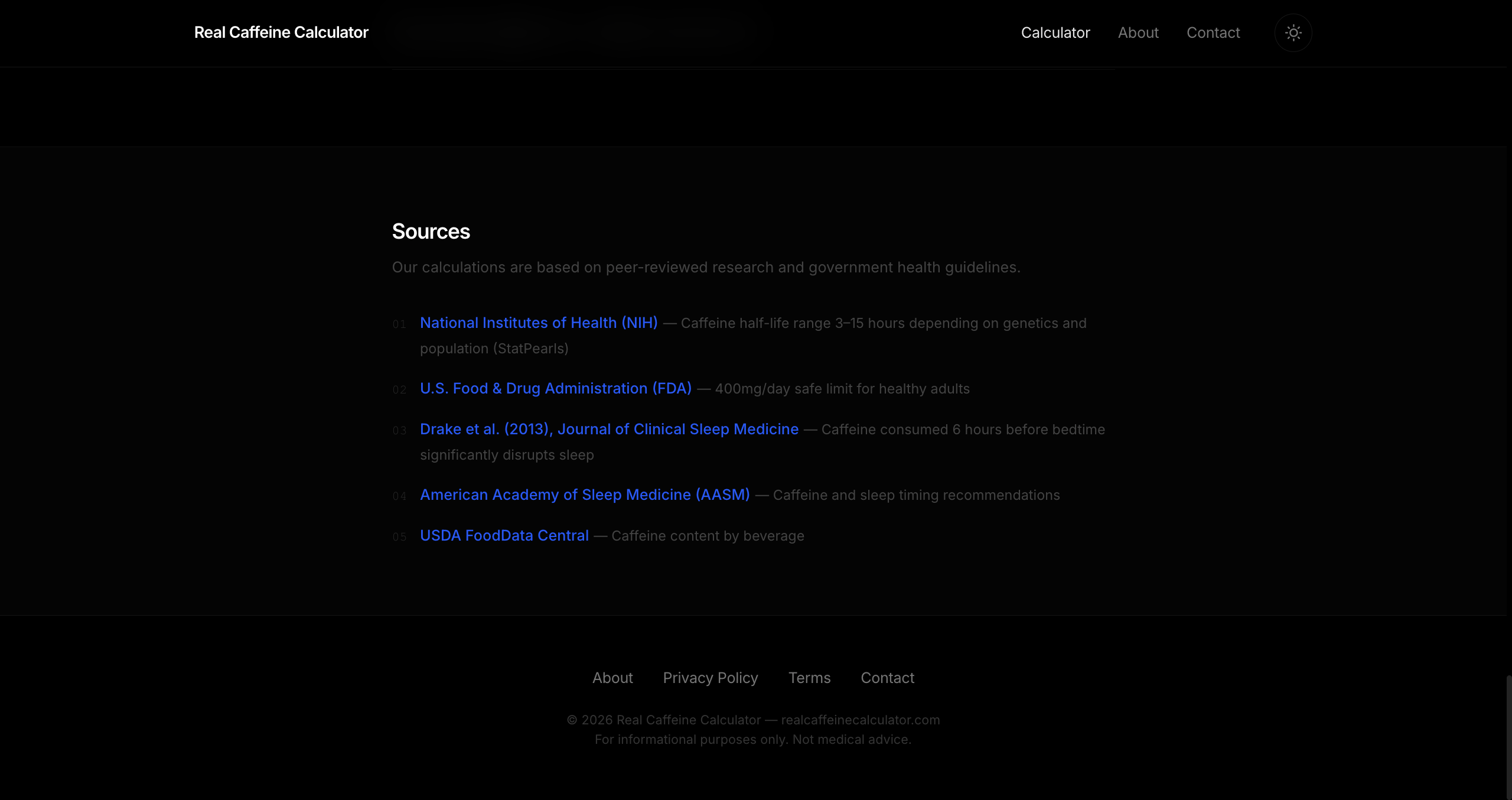
For anyone who wants to double-check the science, a sources list links out to the actual research behind the calculator — from federal health guidance to peer-reviewed sleep studies to government food data — so nothing here is just made up.
- NIH research on how long caffeine's effects can last, from 3 to 15 hours depending on the person
- FDA guidance on the 400mg daily limit considered safe for most healthy adults
- A sleep medicine study showing caffeine even six hours before bed can cut into your sleep
- Sleep timing guidance from the American Academy of Sleep Medicine
- USDA data on caffeine content across different drinks
Dark / Light Theme Toggle
The site looks great in dark mode by default, with a simple sun/moon button to switch to light mode whenever you prefer. Your choice is remembered for next time, and the page loads already in the right theme instead of flashing the wrong one first.
The decay chart updates its colors instantly whenever you switch themes, so it always matches the rest of the page.
- Designed dark-first, with a full, polished light mode as an option
- Remembers your theme choice for your next visit
- Loads in the correct theme immediately, with no flash of the wrong colors
- The chart automatically re-colors itself when you switch themes
- The header stays visible as you scroll, with a subtle blur that adapts to the current theme
Responsive Navigation (Mobile Hamburger)
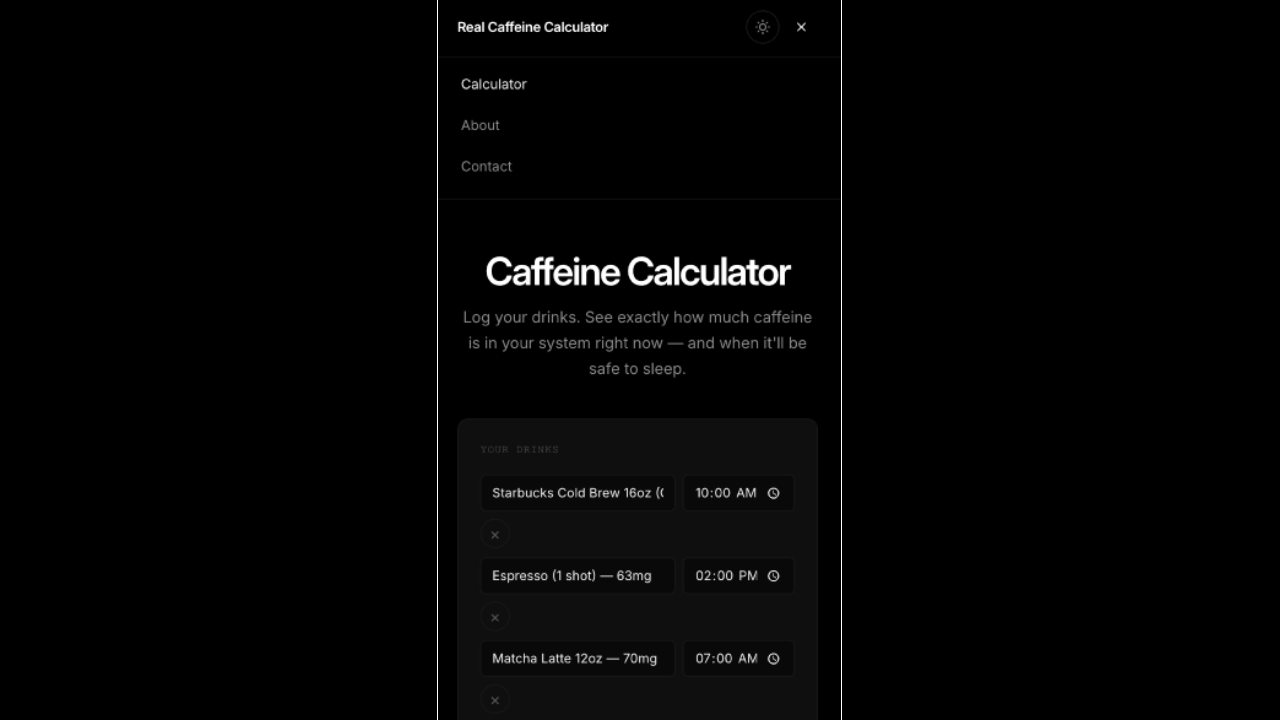
On phones and smaller screens, the navigation tucks neatly into a hamburger menu that expands into a dropdown with a tap. It closes itself automatically once you tap a link or tap anywhere else on the page.
- On desktop, the Calculator, About, and Contact links sit in the header alongside the theme toggle
- On mobile, a hamburger icon opens the same navigation in a dropdown
- The icon animates smoothly between a menu and a close button
- Closes automatically when you tap a link or tap outside the menu
- Looks right in both dark and light mode, on any screen size
About Page
A simple About page explains what the tool does, how it works, and who it's for, with a quick-facts card summarizing the key science and privacy points at a glance.
- A clear explanation of what the tool does and who it's for
- A quick-facts card covering half-life, sleep thresholds, daily limits, and privacy
- A clear note that it's not medical advice
- A button linking straight back to the calculator

Contact Page (Formspree)
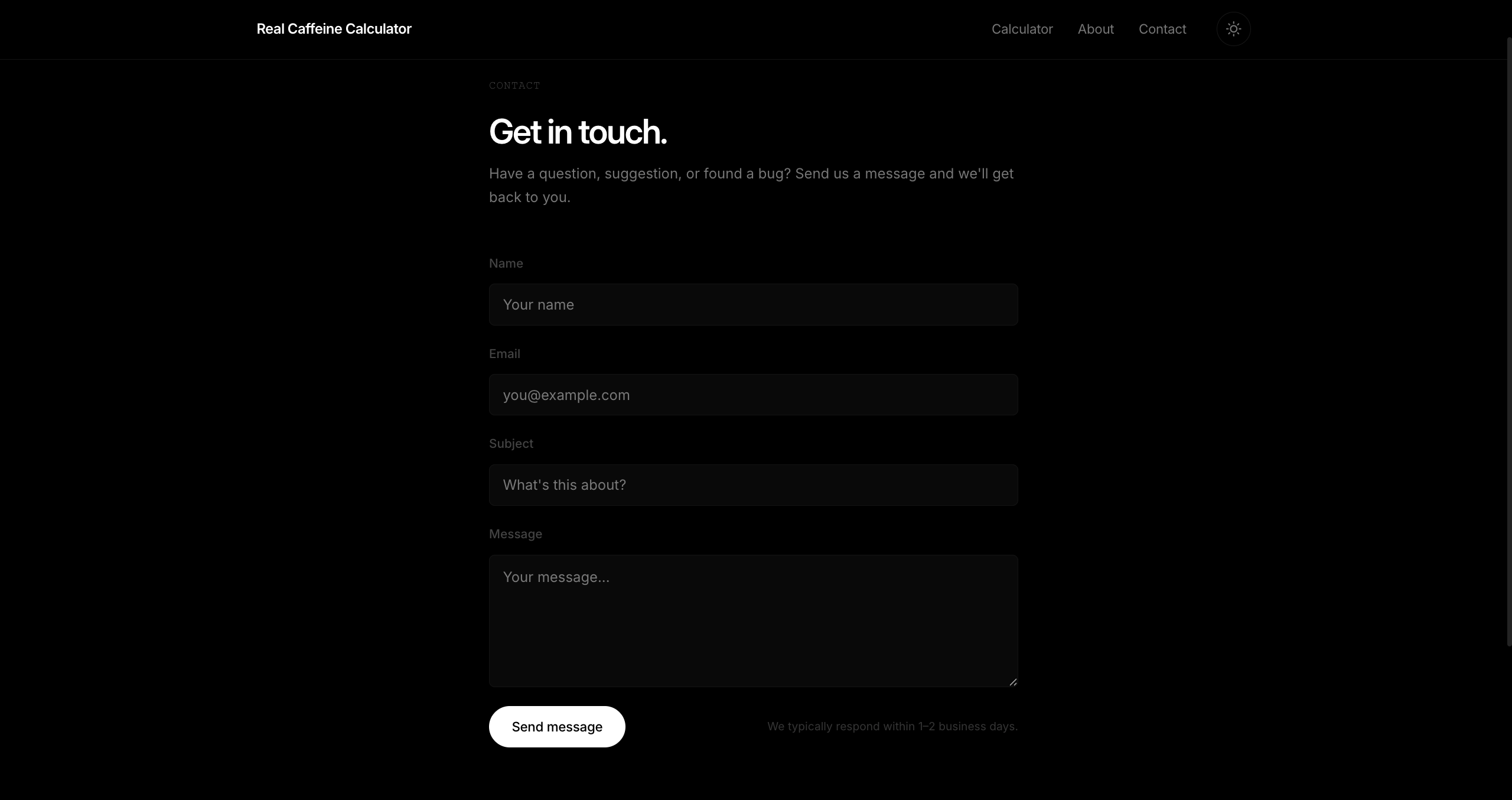
A simple contact form lets visitors reach out directly with their name, email, subject, and message. It gives clear feedback the whole way through — showing when it's sending, confirming once it's sent, and letting you know if something went wrong.
- Name, email, subject, and message fields
- Sends instantly without reloading the page
- Clear success and error messages shown right on the page
- The submit button locks while sending to prevent accidental double submissions