Cloud Flow Library
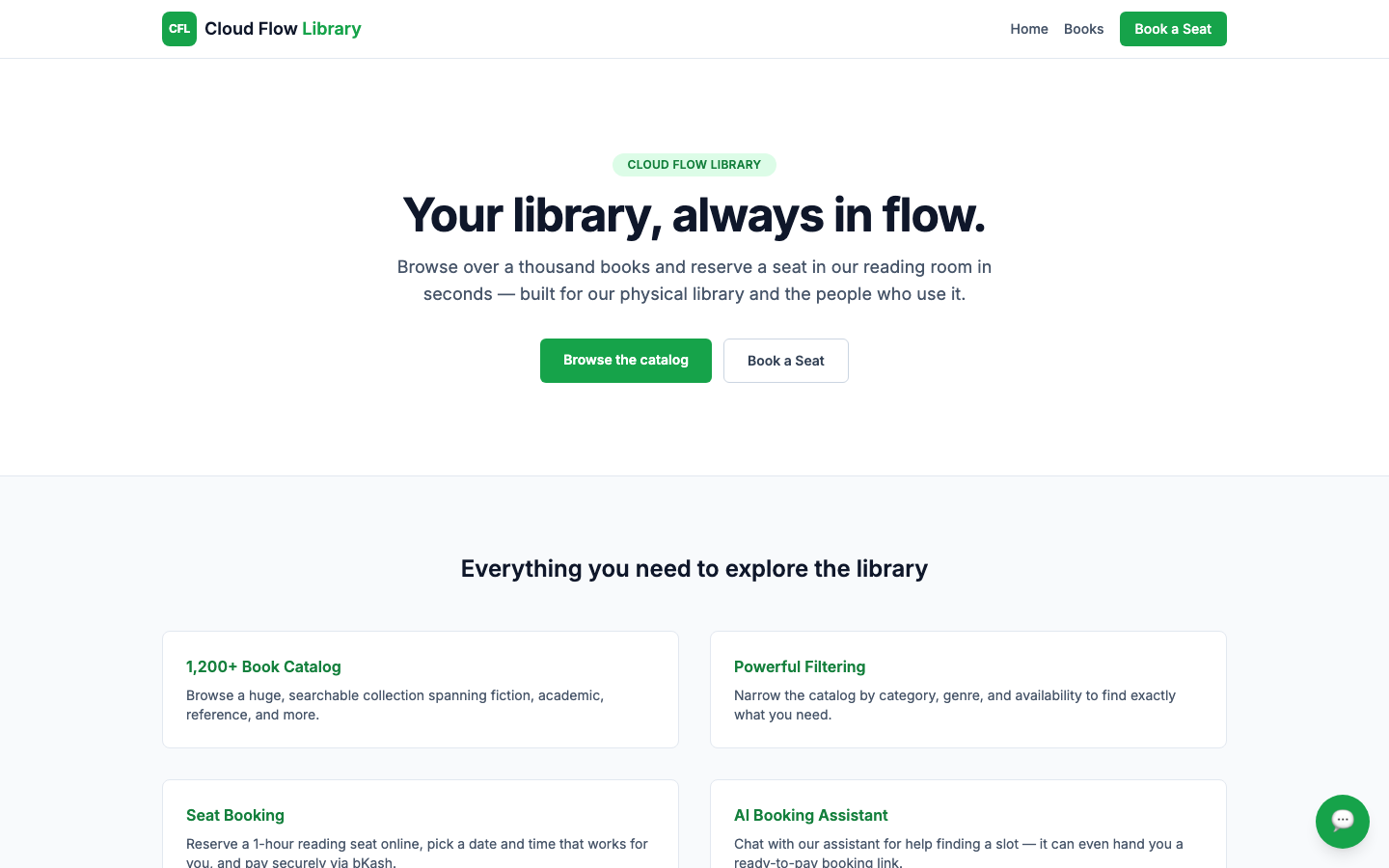
Cloud Flow Library replaces an earlier system I built for the same client — a small community library in Dhaka — with a completely different concept. The old version tracked members borrowing physical books. This one drops the borrowing model entirely: visitors browse a large, searchable book catalog for free, and reserve a paid 1-hour seat in the library's physical reading room — no account needed, just a name, email, and phone number at checkout. The library is open Saturday–Thursday, 9AM–9PM, with 10 seats per hour and a 100 TK fee paid through bKash, restricted to payments from inside Bangladesh. A floating AI assistant, Flo, can answer booking questions or just take a date and time in conversation and hand back a ready-to-pay link. The client and one other admin sign in with a locked-down Google account to see exactly who's booked into any given slot. Built with Next.js, React, and MongoDB, with Auth.js for the admin login and Gemini for the AI assistant.
Technology Stack
 Next.js
 React
React Tailwind CSS
 JavaScript
 MongoDB
1,200-Book Catalog
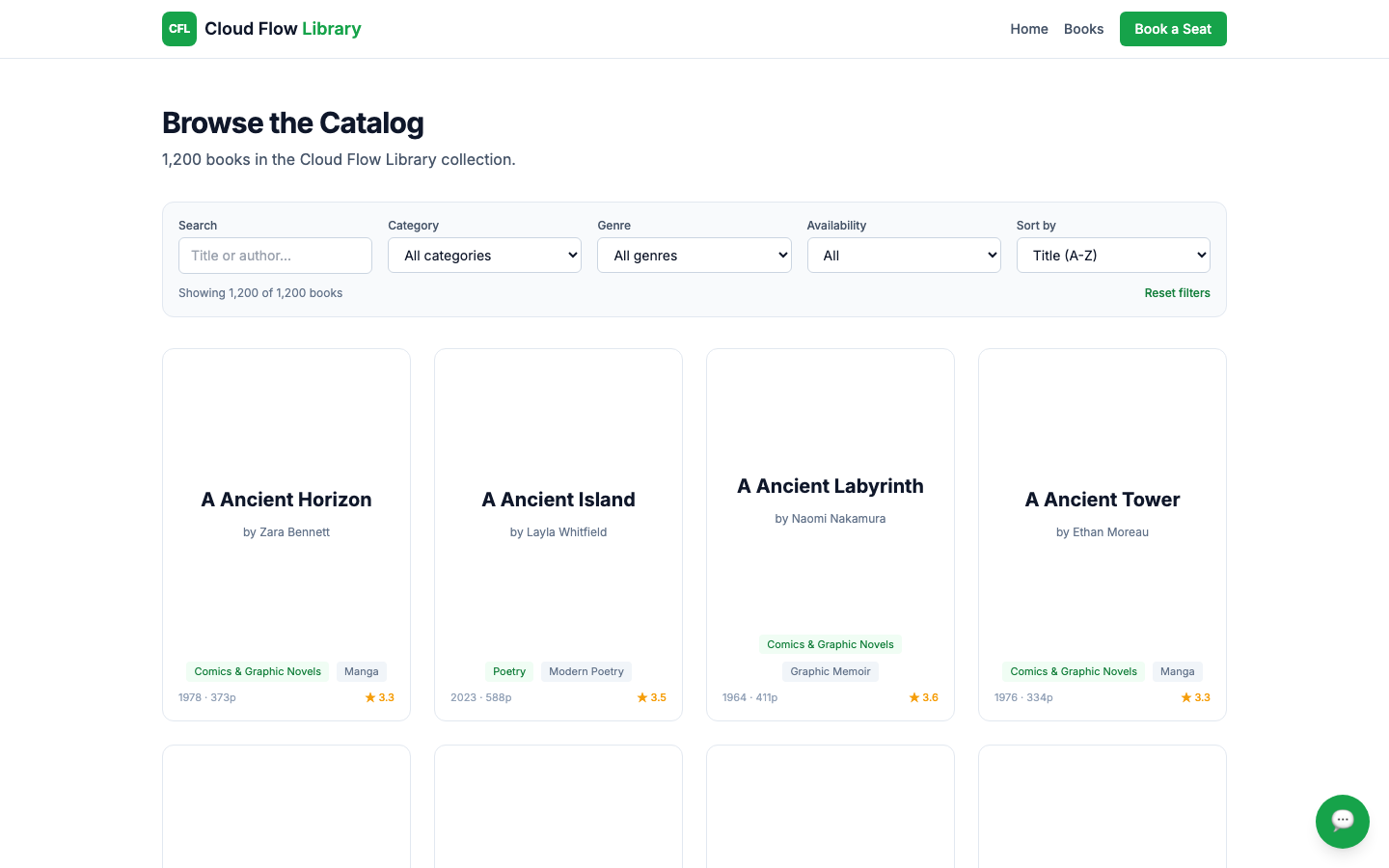
A big, browsable catalog — 1,200 books across fiction, non-fiction, children's, academic, reference, comics, and poetry — open to anyone, no sign-in required.
- 1,200 books, open to browse with no account
- Search by title or author
- Filter by category, genre, and availability, sort A-Z
Book a Seat
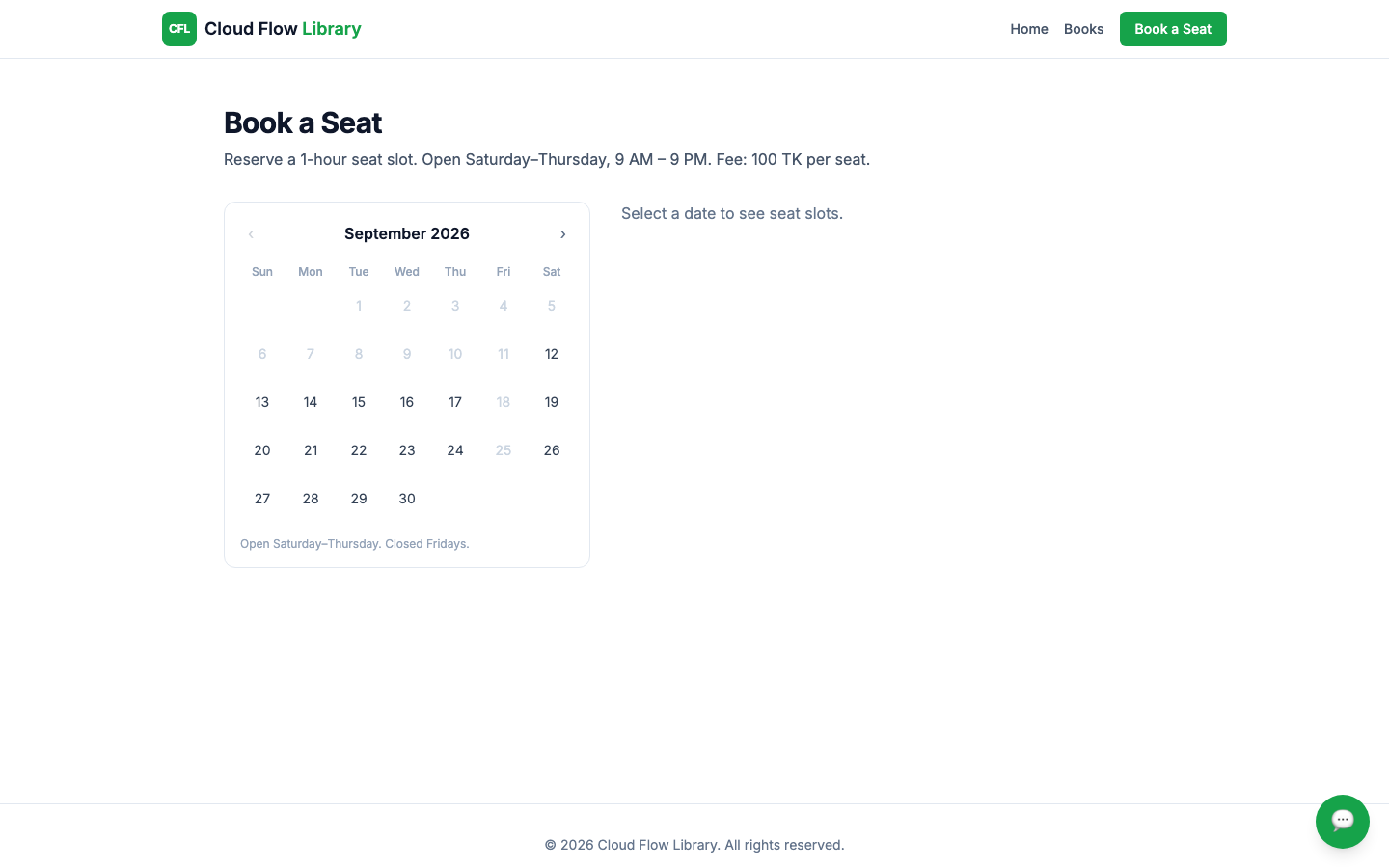
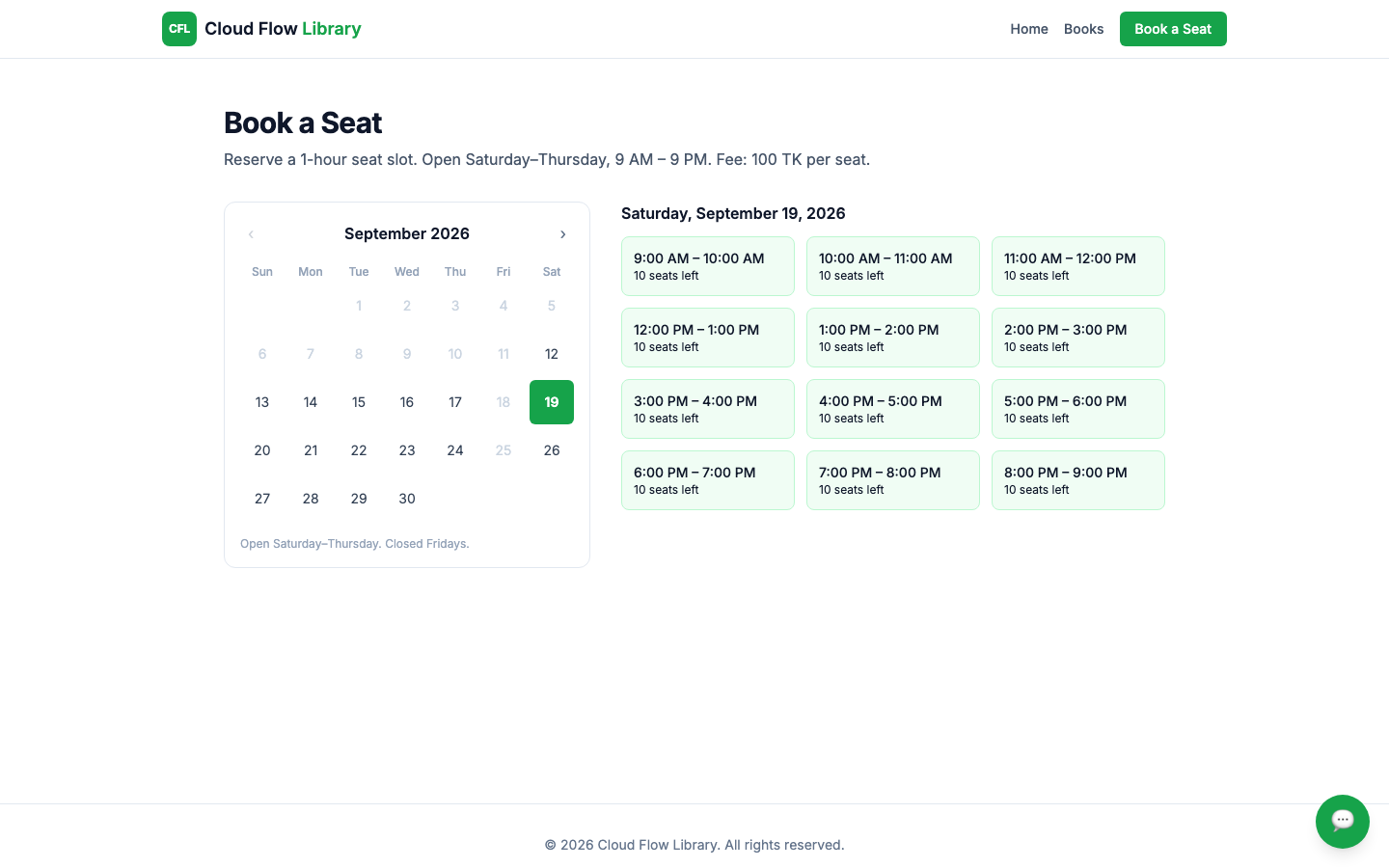
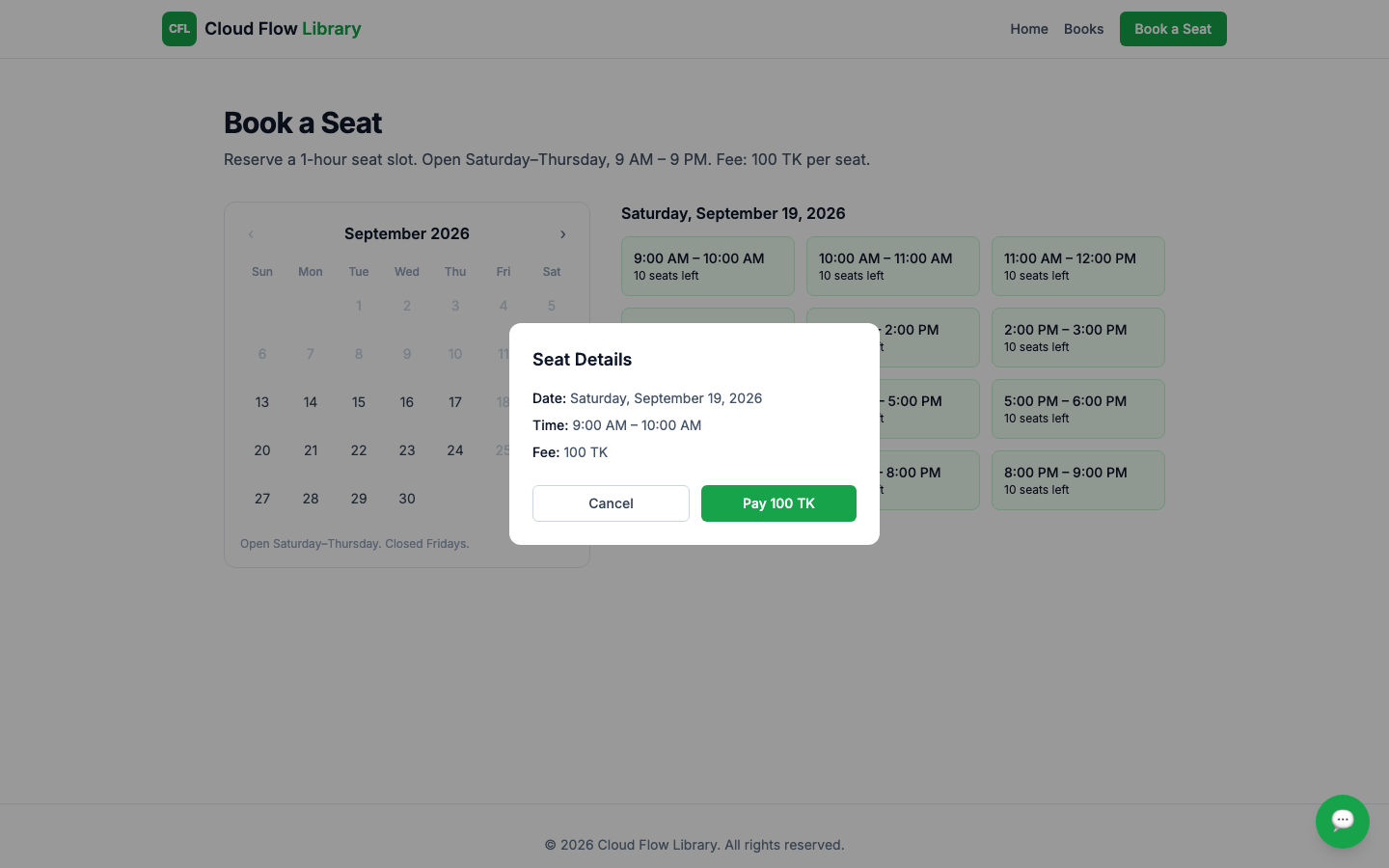
Pick an open day on the calendar — the library runs Saturday through Thursday, closed Fridays — and see every 1-hour slot from 9AM to 9PM with real-time seat availability (10 seats per slot).
- Calendar respects real opening days and hours
- 1-hour slots, 10 seats each, shown live
- 100 TK fee per seat
Checkout & Payment
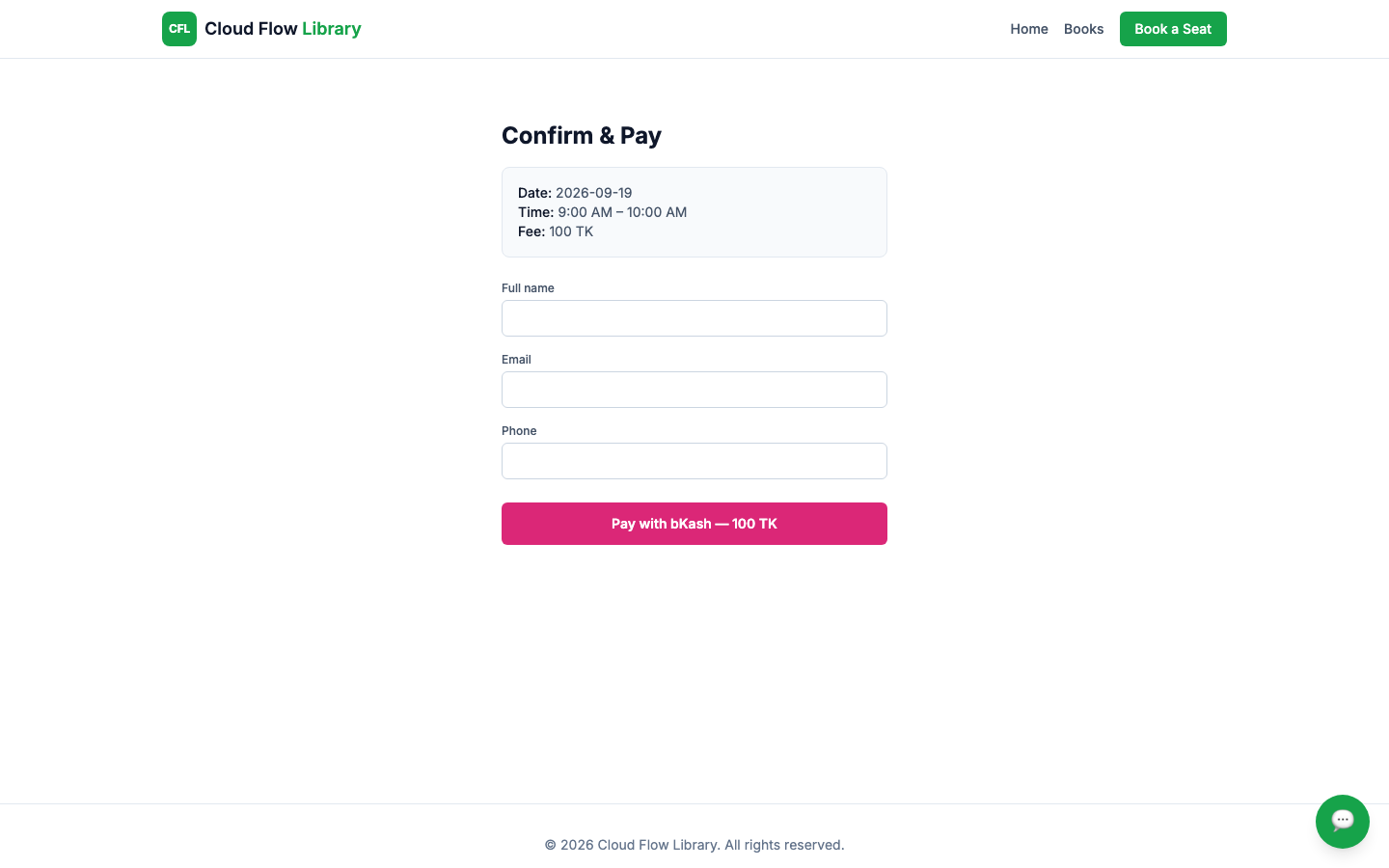
Confirming a slot opens a details summary, then a short checkout form — just a name, email, and phone number — before paying the 100 TK fee through bKash. Payment is restricted to visitors inside Bangladesh.
- No account needed to book
- Simple 3-field checkout form
- Pay by bKash, Bangladesh-only
AI Booking Assistant
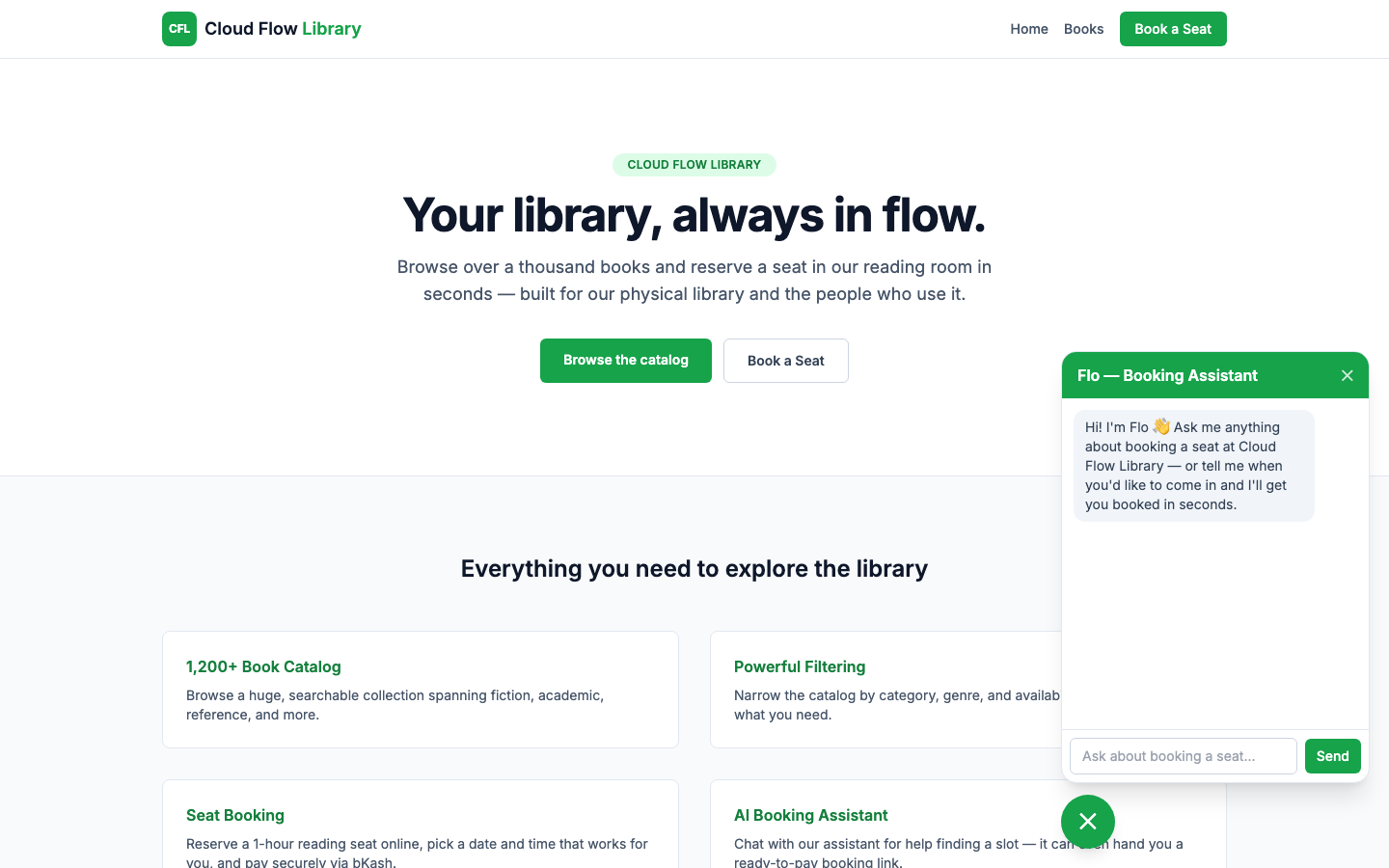
A floating chat assistant, Flo, sits on every page. It answers questions about booking, or — once it's gathered a name, email, phone, date, and time in conversation — hands back a ready-to-pay booking link, so a visitor never has to leave the chat to finish booking.
- Floating chat widget on every page
- Answers real booking questions
- Can complete a booking conversationally and hand back a payment link
Admin Access
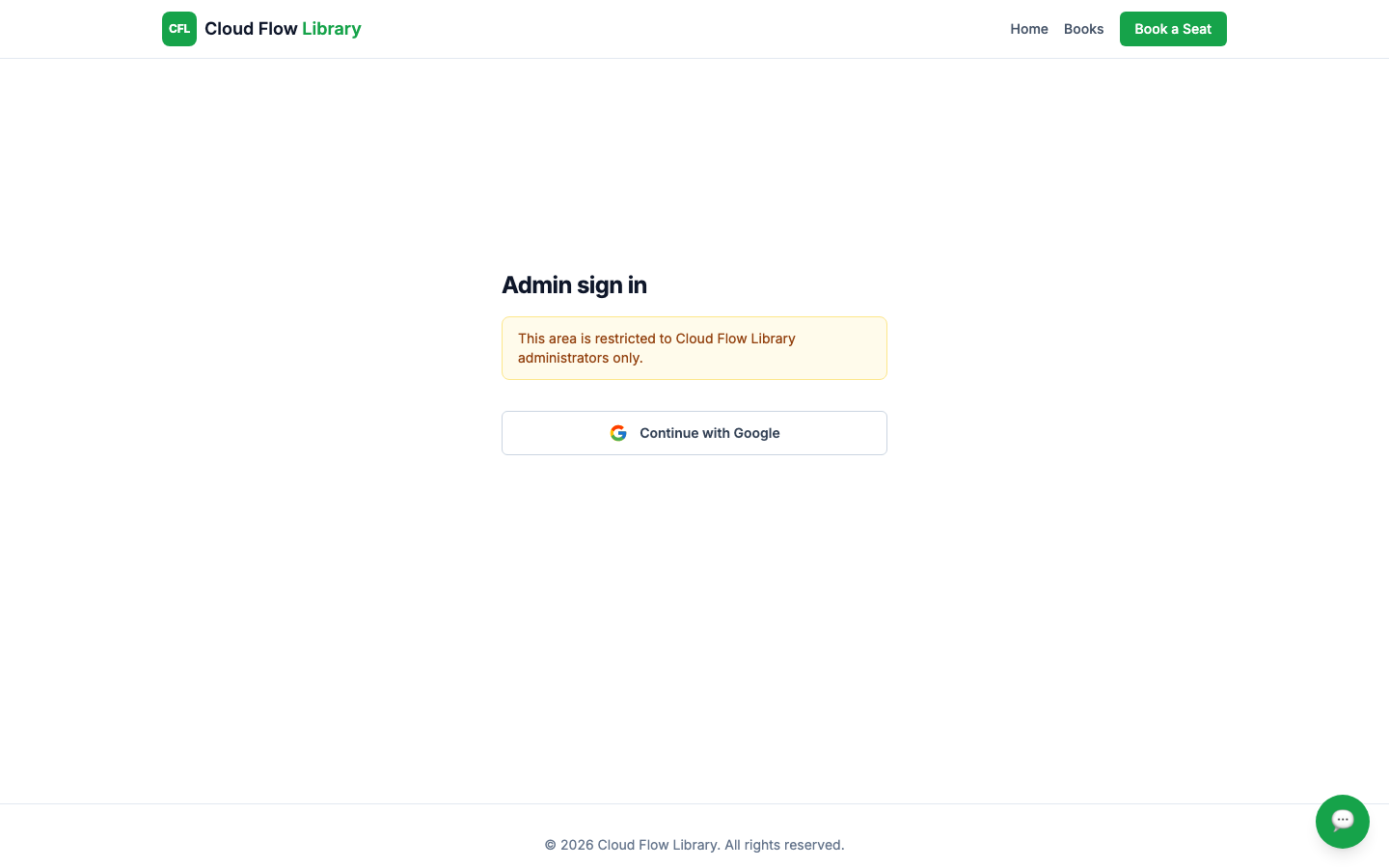
There's no public login button anywhere on the site — the only entry point is a small footer link. Signing in is Google-only and locked to two approved admin accounts. Once in, an admin reuses the same booking calendar, but clicking a slot shows exactly who's booked into it — name, email, phone, and transaction ID — instead of booking it themselves.
- Hidden admin entry point, Google-only sign-in
- Locked to specific approved accounts
- Drill into any slot to see who's booked, with contact details
Built With
Built with Next.js and React for the catalog and booking flow, MongoDB for storing every seat booking, Auth.js with Google OAuth for the locked-down admin login, and Gemini for the AI booking assistant — styled with Tailwind CSS.
- Next.js and React for the full booking flow
- MongoDB for seat bookings
- Auth.js + Google OAuth for admin login
- Gemini for the AI booking assistant